
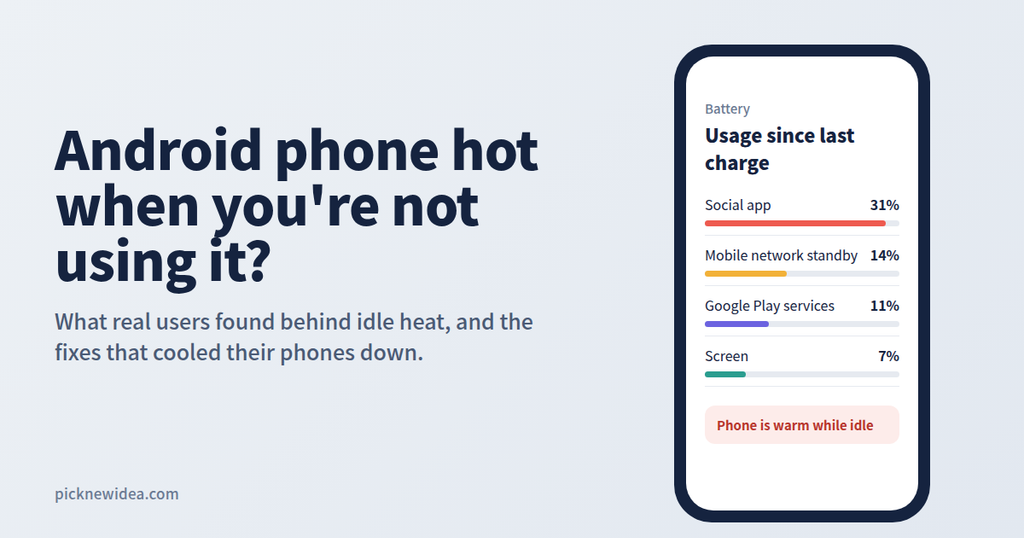
A phone that warms up during a long gaming session or while fast charging is normal. A phone that feels hot in your pocket while the screen has been off for an hour is something else. That heat means something inside is working hard when it shouldn’t be, and it usually comes with a battery that drains much faster than it should.
To find out what’s really behind idle heat, we went through years of discussions on Samsung Community, Android Central, DroidForums, Google’s Pixel community and other forums where everyday users compare notes. The good news is that most cases come down to a handful of causes, and most of them can be fixed in a few minutes.
Normal Warmth vs. Real Overheating
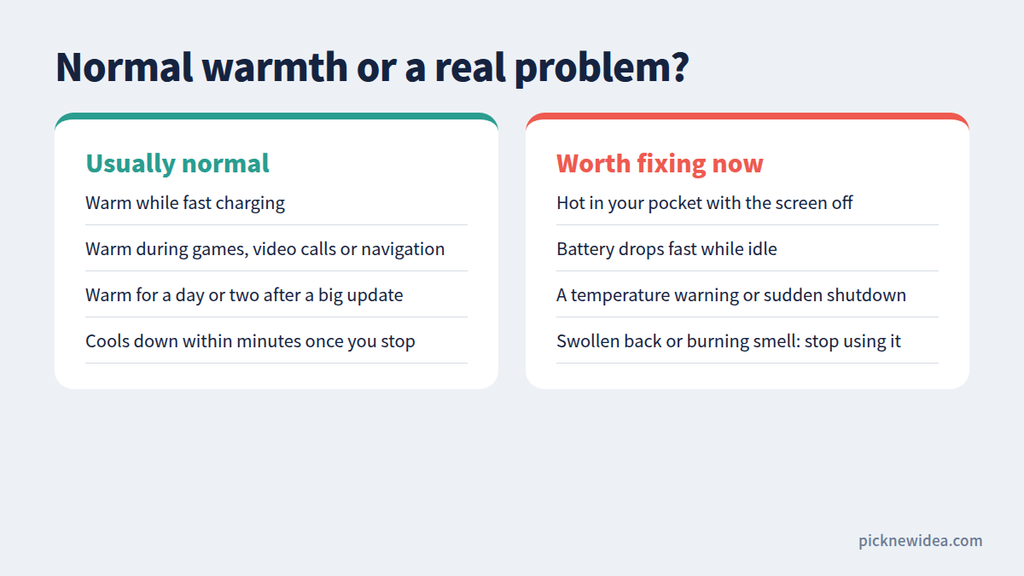
Before changing any settings, figure out whether you actually have a problem. A Samsung Community helper made a useful point: feeling warm isn’t a big deal on its own, because phones are small and shed heat through the screen, and the display itself produces heat the longer it stays on. Hot weather also makes it harder for the phone to cool down.
The same thread drew a clear line between a phone that simply feels warmer than usual and one that is actually overheating to the point of shutting itself off for protection.
Usually normal:
- Warm while fast charging
- Warm during games, video calls, or navigation
- Warm for a day or two after a major system update
- Cools down within minutes once you stop
Worth fixing now:
- Hot in your pocket with the screen off
- Battery drops noticeably while you’re not using it
- Temperature warnings or sudden shutdowns
- A swollen back cover or a burning smell (stop using the phone and get it checked)
What Real Users Say Causes Idle Heat
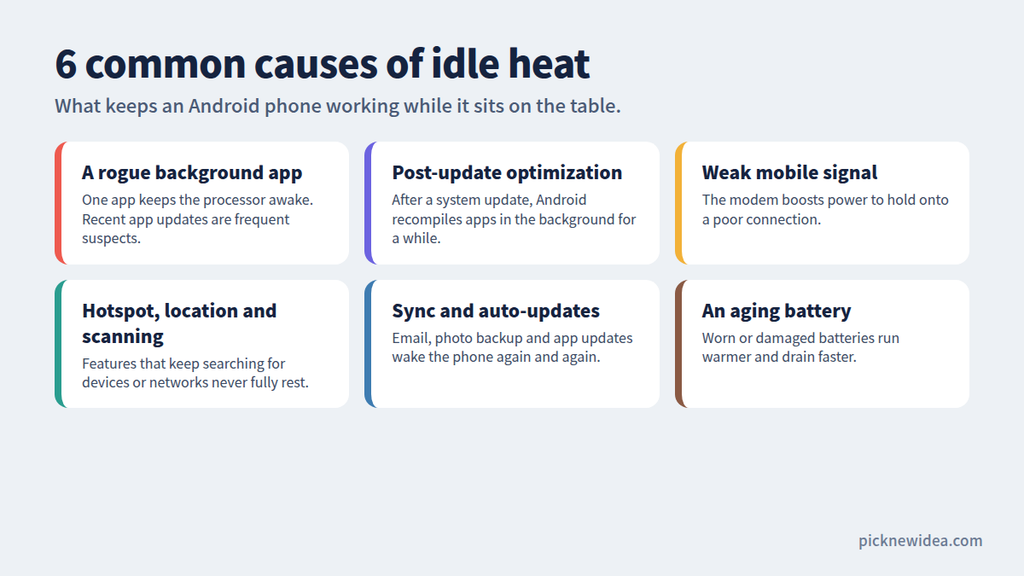
A Rogue App Running in the Background
This is the most common cause by far. On Quora, one answer pointed to heavy background apps such as office suites, VPNs, GPS apps, games, and social media as common reasons for heat and battery drain. A Samsung Community moderator was even more direct: if a phone overheats as badly as some users describe, one or more rogue apps using a lot of battery are almost certainly responsible.
App updates can suddenly turn a harmless app into a heater. After one Instagram update, several Pixel owners on Reddit reported their phones getting very hot within minutes of use.
The Phone Is Still Optimizing After an Update
If the heat started right after a system update, this is the likely reason. One Samsung Community member explained that even after an update finishes and the phone reboots, many background optimization processes keep running and can make the phone lag and heat up with no apps open. A Galaxy S24 owner reported that after rebooting, clearing the cache partition, and running app optimization, most apps behaved again, though Instagram and games still overheated the phone within minutes.
This phase usually settles down within a day or two. If the heat continues for a week or more, look for another cause.
Weak Mobile Signal
This one surprises many people. On Android Central Forums, a user described their phone getting warm and draining quickly only while sitting at their desk at work, with “Cell standby” taking more than half of the battery usage. A truck driver in the same thread suspected constant signal searching as the cause of his phone overheating.
When your signal is poor, the modem works harder to stay connected, which produces heat even while the screen is off.
Hotspot, Location, and Constant Scanning
Features that keep searching for devices or networks never fully rest. Huawei’s support guidance notes that a hotspot keeps drawing power and generating heat even when no devices are connected. Location services, Bluetooth auto-connect, and NFC can create similar background load.
Sync, Auto-Updates, and System Services
Background sync often goes unnoticed. In an older Android Central thread, one user said battery life doubled after turning off automatic updates in the Google Play Store. On DroidForums, a user whose phone kept getting hot while idle found “Android System,” “Cell standby,” and Google services at the top of their battery usage list.
A Known Bug in Your Phone’s Software
Sometimes the cause isn’t on your end at all. In July 2026, Google said its July update fixed a severe idle battery drain bug on several Pixel 9 and Pixel 10 models, with the fix for Pixel 8a and 9a scheduled for the September release. Some users said the drain continued even after the fix was announced. If your model is affected by a known bug, keeping the software updated is the real fix.
How to Fix an Android Phone That Gets Hot When Idle
1. Check Battery Usage Right After It Heats Up
Timing matters. A DroidForums member advised checking battery usage immediately after a heat or drain episode to see which apps or system services are responsible. Go to Settings > Battery (or Settings > Device care > Battery on older Samsung phones) and look for an app with unusually high usage compared to how much you actually used it.
2. Restart Your Phone
A restart clears stuck processes. After an update, one Samsung Community member recommended a couple of restarts, since they clear temporary files and can help the background optimization finish faster.
3. Update or Remove the Suspect App
If one app stands out in your battery stats, update it first, then clear its cache. If the heat continues, uninstall it and see whether things improve.
4. Run a Safe Mode Test
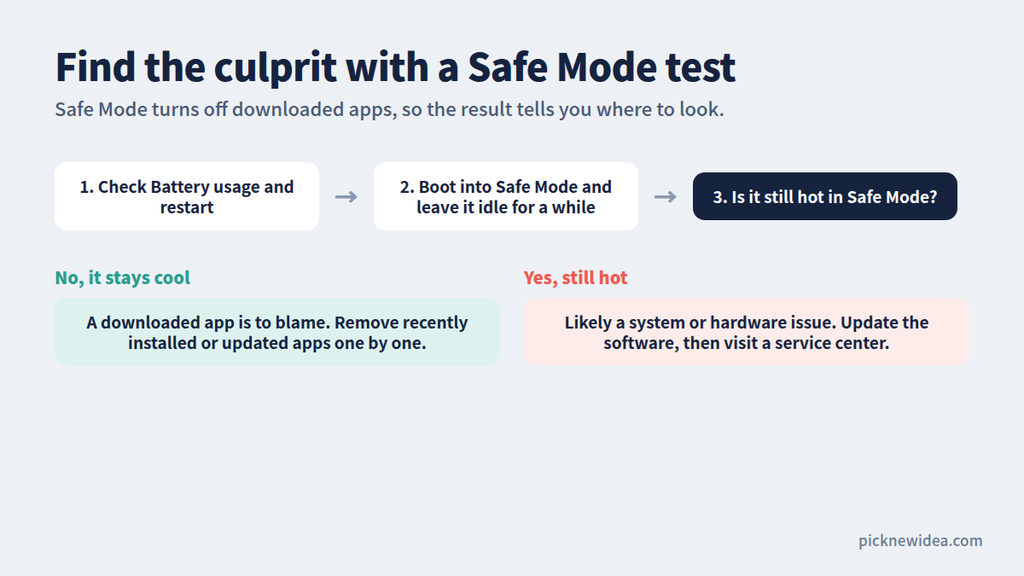
Safe Mode temporarily disables all downloaded apps. Hold the power button, then press and hold Power off until the Safe Mode option appears. Leave the phone idle for a while:
- If it stays cool, a downloaded app is to blame. Remove recently installed or updated apps one at a time.
- If it still gets hot, the problem is more likely the system or hardware.
5. Limit Background Activity
On Samsung phones, a Samsung Members staff reply suggested running Device care > Optimise now and turning on Power saving mode to limit background apps and reduce heat. You can also put apps you rarely use to sleep so they can’t run in the background. On Pixel and other Android phones, open an app’s battery settings and set it to Restricted.
6. Turn Off Features You’re Not Using
Switch off your hotspot when nothing is connected. In places where your signal is weak, turn on Wi-Fi and consider Airplane mode with Wi-Fi if you don’t need calls. Restrict location access to “only while using the app” for apps that don’t need it all the time.
7. Take the Case Off While Charging
Thick cases trap heat. One Samsung forum member suggested removing the case, since it prevents heat from escaping. They added that once a phone gets hot, thermal throttling kicks in and postpones whatever optimization the phone was trying to finish, so the heat can drag on longer.
8. Check Your Battery’s Health
On Samsung phones, the Samsung Members app offers phone diagnostics with a battery status check. An aging or damaged battery runs warmer and drains faster, and replacing it is the only real fix.
9. Know When to Visit a Service Center
If the phone overheats and keeps shutting itself down, Samsung Community staff recommend having it diagnosed at an authorized repair center. The same applies if the back is swelling, you smell burning, or the phone stays hot in Safe Mode after a software update.
Habits That Keep Your Phone Cooler
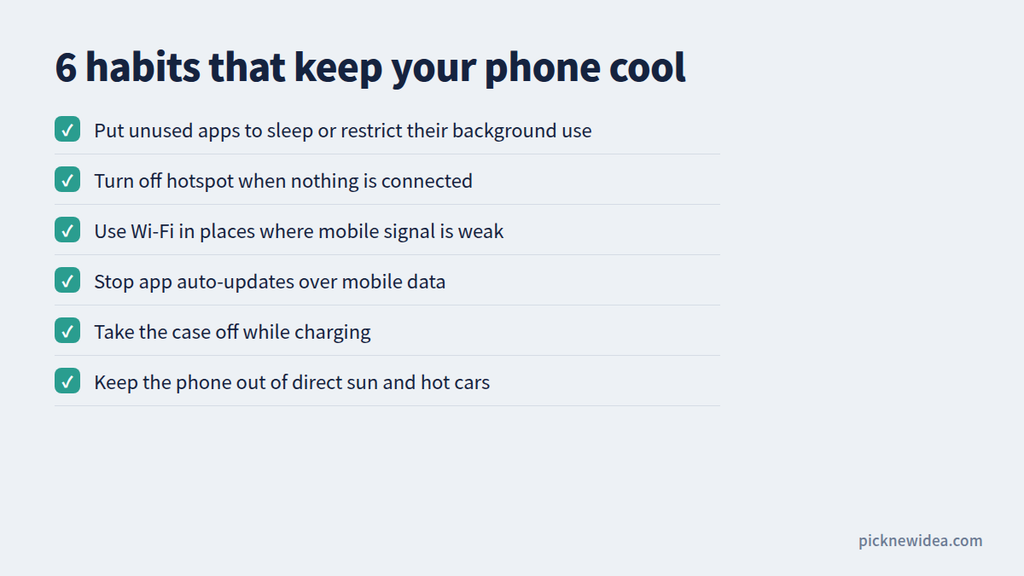
- Keep your software and apps updated, since many heat bugs get fixed through updates.
- Avoid heavy use while charging, especially in the first few days after a major update.
- Don’t leave the phone in direct sunlight or a hot car.
- Use Wi-Fi in places where your mobile signal is weak.
- Check battery usage once a month to catch a misbehaving app early.
Frequently Asked Questions
Is it dangerous if my phone gets hot when I’m not using it?
Mild warmth isn’t dangerous, but frequent heat speeds up battery aging. If the phone becomes too hot to hold comfortably, shows temperature warnings, or has a swollen back, stop using it and get it checked.
Why does my phone get hot after a software update?
After a major update, Android re-optimizes apps and system files in the background. This extra work makes the phone warm for a day or two, then it should return to normal.
Can a weak signal really make my phone hot?
Yes. When the signal is poor, your phone works harder to stay connected, which produces heat and drains the battery even when the screen is off.
Should I use a “phone cooler” or “battery booster” app?
Generally no. Most of these apps run in the background themselves and can add to the problem. The built-in battery and device care tools are enough.
Will a factory reset fix overheating?
It can, if the cause is a software problem, but try the steps above first. Back up your data before resetting, and if the phone still overheats afterward, the issue is likely hardware.
Final Thoughts
An Android phone that gets hot while idle is almost always trying to tell you something: an app is misbehaving, the phone is still optimizing after an update, or it’s struggling with a weak signal. Start with your battery usage screen, restart, and use a Safe Mode test to narrow down the cause. Most people find the culprit within an hour, and their phone goes back to being pleasantly cool.